
Subscribing to lists
A list tags, raises, lowers, or hides sites for you. Anyone can publish one: it's a text file in a Git repository, a gist, or any public web address. There's no Anubis server in between.
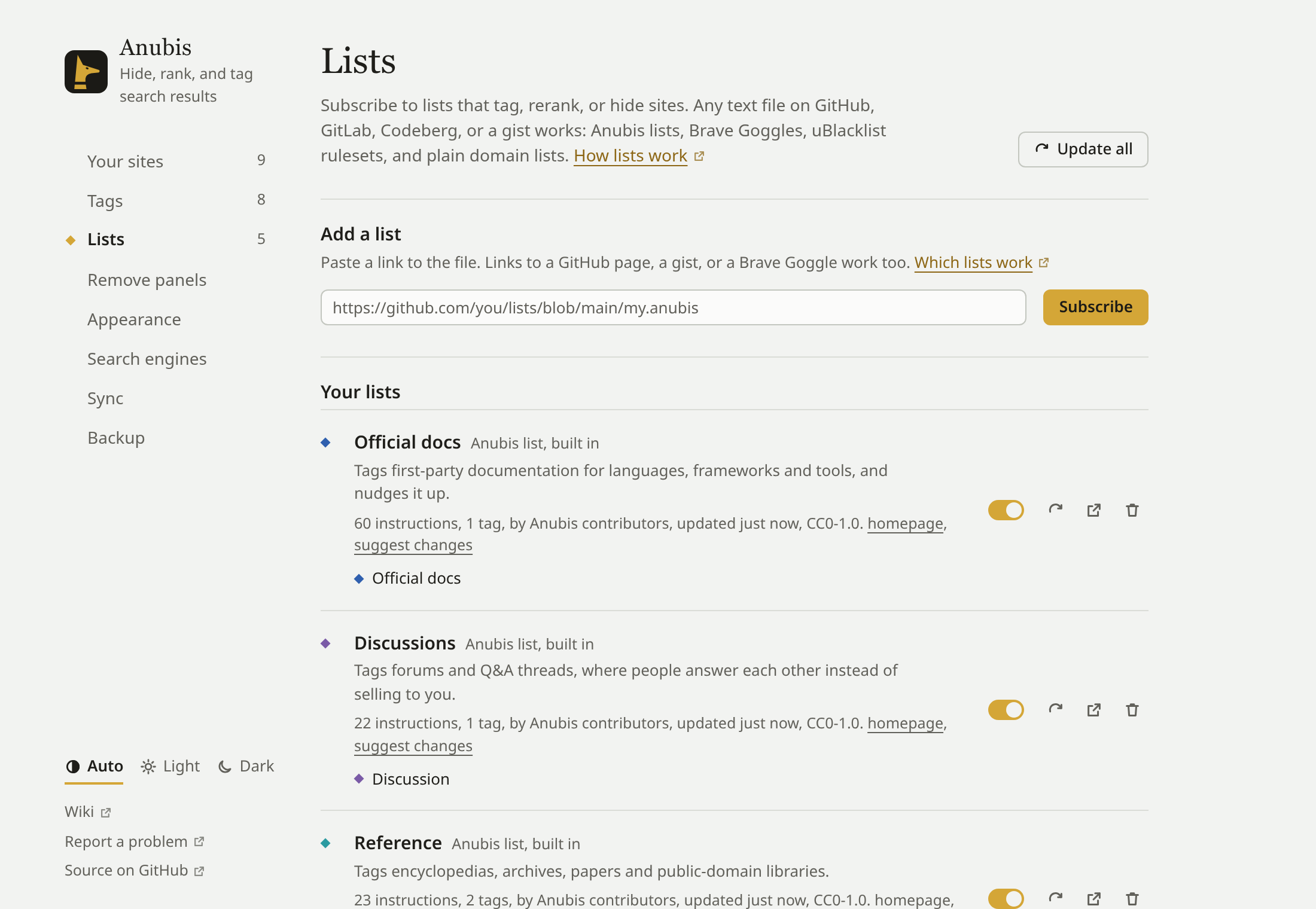
Anubis starts subscribed to five small lists that ship with it: Official docs, Discussions, Reference, Paywalls, and FOSS tools. They mostly add tags. FOSS tools labels LibreSpeed and cobalt.tools as FOSS, and makes the AI slop tag available for sites you choose to tag yourself. Existing installs keep their current subscriptions; add FOSS tools under Settings → Lists → More lists.
Subscribe
- From the directory: Settings → Lists → More lists shows lists other people have published. Press Subscribe on one.
- From the web: Subscribe on the Lists directory page, or a subscribe link on a list's own page, opens Anubis's settings with the list filled in. Check it's the list you expected, and press Subscribe there to add it.
- From its address: paste the list's address into Add a list and press Subscribe. Links to a file's page on GitHub, GitLab, or Codeberg, gist links, and Brave Search Goggle links all work; Anubis finds the raw file.
Lists hosted on GitHub or in a gist download straight away. For a list hosted anywhere else, your browser asks you to allow Anubis to read from that one site.
What lists work
- Anubis lists (
.anubisfiles) - Brave Goggles
- uBlacklist rulesets
- Plain lists of domains, one per line, and hosts files
Anubis detects the format itself. Rules it can't use, such as uBlacklist's title expressions, are skipped and counted under the list in settings.
Lenses
Some Brave Goggles are lenses: they hide every result they don't mention, so a search shows only the sites on the list. Anubis marks these with "lens" so you don't subscribe to one by surprise.
Updates
Anubis checks for new versions of your lists when the browser starts and while you search, at most every 30 minutes. Each list says how often it wants to be checked (usually once a day). Update all in Settings → Lists checks right away.
Turn off, or unsubscribe
Each list in Your lists has a switch to turn it off for a while and a button to unsubscribe. Your own rankings always beat any list, so to overrule one list about one site, rank that site yourself.
Report a mistake in a list
If a list hides, ranks, or tags a site wrongly, open the ⚖ menu on the result. Under Why, "Wrong? Report it to list name" opens a pre-filled issue on the list's issue tracker, with the rule that matched and the result's address. Say what should change, then send it. Nothing is sent until you submit it yourself.
This works for lists published in a GitHub, GitLab, or Codeberg repository, and for lists that name their own issue tracker. To overrule a list straight away, rank the site yourself; a report gets the list fixed for everyone.
Suggest a site to a list
Once you've ranked or tagged a site yourself, the ⚖ menu offers "Suggest it to list name" for lists that take suggestions and don't mention the site yet. It opens a pre-filled issue on GitHub, GitLab, or Codeberg for you to check and send. Nothing is sent until you submit it yourself.