
English
Removing panels
Settings → Remove panels takes the parts you choose off every search page. They're all off until you turn them on. A group's switch turns all its parts on or off; press the group's name to choose them one by one.
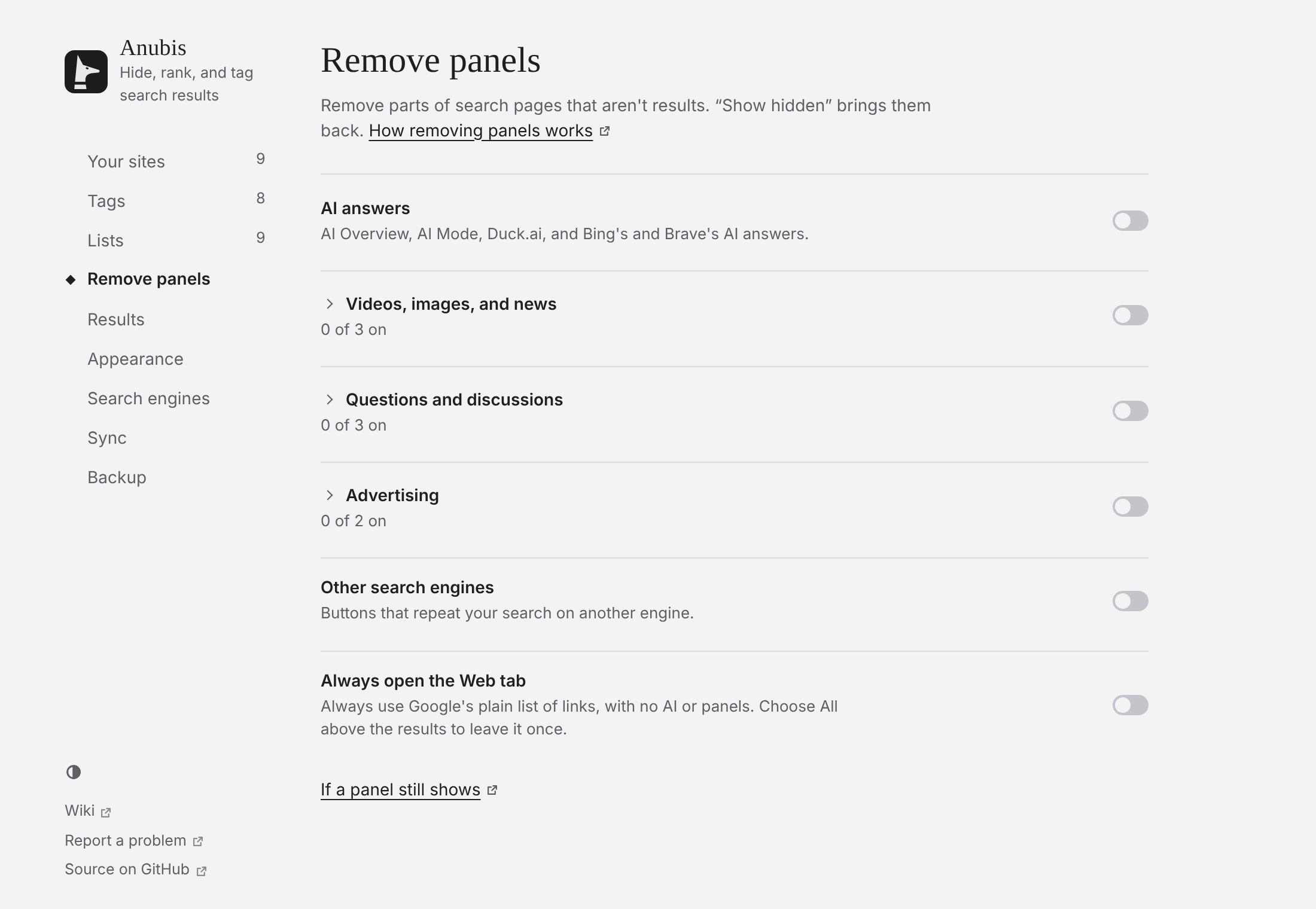
| Switch | Removes |
|---|---|
| AI answers | Google's AI Overview and AI Mode, Duck.ai, and Bing's and Brave's AI answers. |
| Video panels | Video and short-video panels. |
| People also ask | Expandable question lists. |
| Discussion panels | Forum panels. Forum results stay. |
| Top stories | News panels. |
| Image rows | Rows of images. |
| Related searches | "Related searches" and "People also search for". |
| Other search engines | Buttons that repeat your search elsewhere. |
| Ads | Sponsored results and product carousels. |
| Requests to allow ads | Banners asking you to allow ads. |
What was removed
The summary says what went. Show hidden brings it back, outlined.


How panels are found
By their headings, in English, French, German, Spanish, Portuguese, Italian, and Dutch. If a panel stays in your language, open an issue with its heading.
Stopping AI answers at the source
On Google, Always open the Web tab opens Google's plain list of links, with no AI and no panels. Choose All above the results for the usual page.